 CYNDRA
An invoice lands in the shared finance inbox. Someone downloads the PDF, searches for the vendor name, invoice number, date, purchase order, tax, total, and every product row, then types those values into an ERP. The next invoice uses a different layout, the next arrives as a scan, and a phone photo follows after that. Manual entry keeps the queue moving, but it also turns small document differences into recurring review work.
The practical goal isn't merely to read an invoice. It's to extract data from invoices accurately enough to support matching, approval, posting, and payment without shifting the bottleneck from typing to exception handling. That distinction matters most in the line items, where quantities, descriptions, discounts, tax categories, and multi-page tables often determine whether the downstream workflow can proceed.
Table of Contents
- Why You Need to Extract Data From Invoices Automatically
- OCR vs AI Document Understanding and When to Use Each
- How to Build an End to End Invoice Extraction Pipeline
- How to Measure Accuracy and Test Before You Scale
- Handling Errors Security and Compliance Without Slowing AP
- Putting It All Together and Choosing Your Next Move
Why You Need to Extract Data From Invoices Automatically
A finance queue can look healthy while line-item work holds it back. Header fields such as supplier, invoice number, and total are often straightforward. The difficult cases involve product descriptions, quantities, discounts, tax categories, freight, and multi-page tables. Those details determine whether an invoice can match a purchase order and move through approval without manual correction.
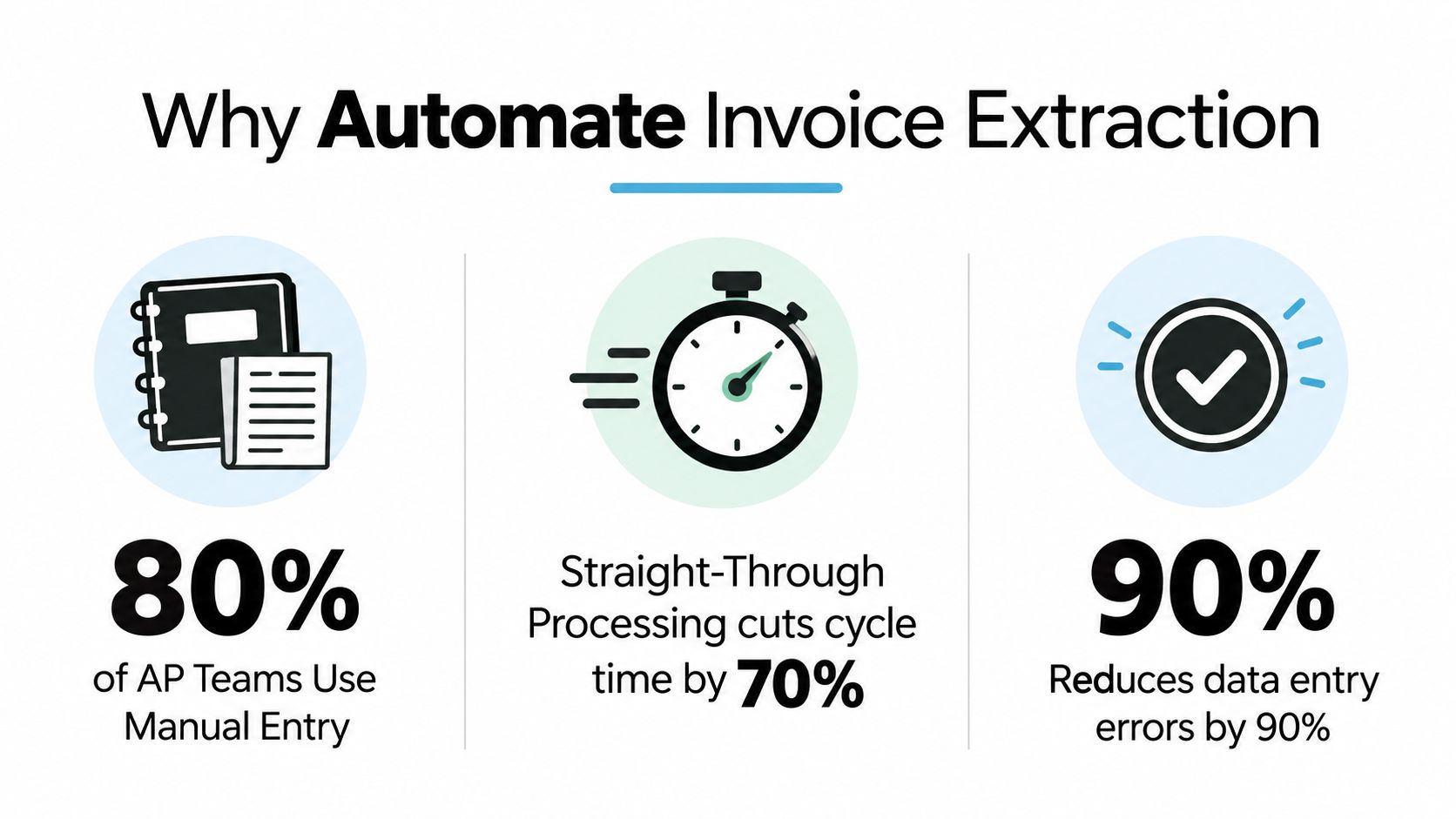
Accounts payable teams still spend substantial time converting documents into structured records. One benchmark found that 68% of respondents manually enter invoices into ERP or accounting software (Tipalti global AP benchmark report). Other 2026 reporting indicates that teams using OCR and related tools still process 40% to 70% of invoices manually (invoice automation market and workflow analysis).
Manual processing creates more than typing work. An operator must interpret supplier-specific labels, separate invoice dates from due dates, identify the correct purchase order, and decide whether the total includes tax or freight. A missing or misplaced value can send the invoice to procurement, the budget owner, or receiving for clarification.
Extraction is a workflow milestone
A useful extraction process produces structured fields that downstream systems can validate and use:
- Header fields: Supplier name, invoice number, invoice date, due date, currency, tax identifiers, and payment terms.
- Control fields: Purchase order number, billing entity, shipping address, and account or cost-center references.
- Line items: Product or service description, quantity, unit price, discount, tax, and line total.
- Evidence: The source page, region, or text span supporting each extracted value.
Evidence is especially important when line-item confidence is low. Reviewers need to see what the system read, where it found the value, and which validation rule accepted or rejected it. That trace shortens investigation time and gives auditors a path back to the original document.
The target is straight-through processing. An invoice should pass through capture, validation, matching, approval, and posting without rekeying or correction when the source is clear and the rules pass. A 2026 benchmark cited 70% to 85% straight-through processing among the best-performing teams. Results commonly fall below that range when supplier layouts, scan quality, countries, or table structures vary.
Practical rule: Automate the predictable path, then make exceptions precise enough that a person can resolve them quickly.
The invoice processing software market was valued at $2.78 billion in 2023 and projected to reach $9.18 billion by 2032, with a projected 14.2% CAGR (invoice automation market overview). The broader shift places capture alongside validation, purchase order matching, approvals, reconciliation, and ERP integration.
Teams that standardize documents before submission can reduce ambiguity at the source. An AurenWell estimate invoice template can help suppliers create clearer, more consistent files. Templates cannot resolve every scan or unusual table, but cleaner inputs give extraction systems fewer uncertain fields to interpret.
OCR vs AI Document Understanding and When to Use Each
A clean PDF with fixed fields may pass through basic OCR with little intervention. A photographed invoice with skewed text and wrapped line items can turn the same approach into a queue of corrections. Traditional OCR and AI document understanding address different parts of that problem. OCR converts visible characters into text. Document understanding identifies what those values mean and how they relate, such as separating a unit price from the invoice total.
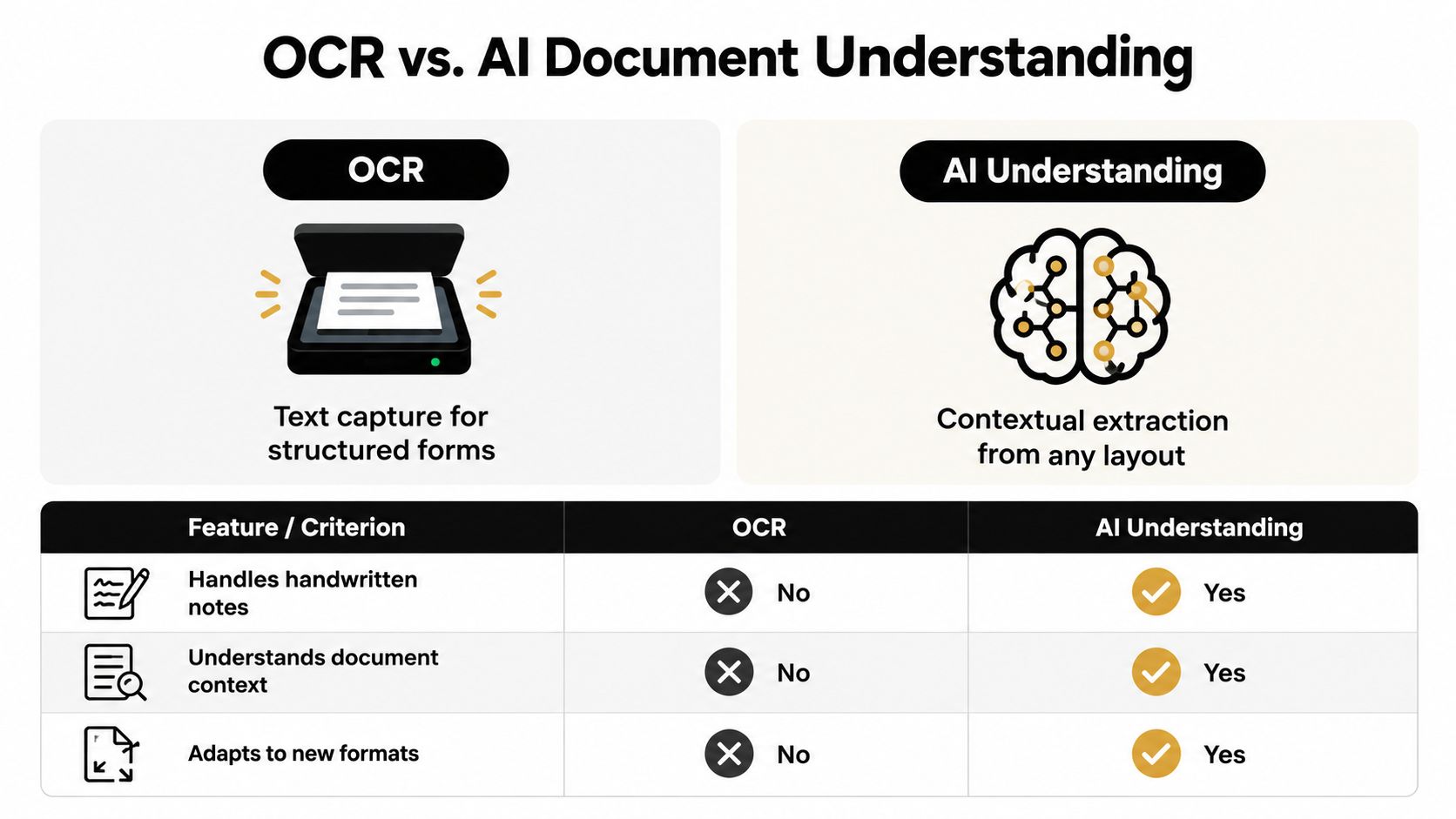
The practical dividing line is scan quality and layout variation. A digitally generated PDF with stable positioning often suits an OCR-to-text pipeline followed by deterministic parsing. A noisy scan, a mixed-language invoice, or a multi-page table needs stronger layout interpretation and tighter validation. Choose from the documents your team receives, not from a product label.
OCR vs AI Invoice Extraction Compared
| Criteria | Traditional OCR Pipeline | AI Document Understanding |
|---|---|---|
| Primary job | Converts characters into text | Interprets fields, relationships, and layout |
| Clean digital PDFs | Often efficient and straightforward | Can add capability beyond what the document requires |
| Poor scans and photos | Sensitive to blur, skew, noise, and contrast | Better suited to visual ambiguity, but still needs review rules |
| Line-item tables | Usually needs templates, coordinates, or custom parsing | Can interpret varied table structures, with exceptions on complex rows |
| Handwritten notes | Usually unreliable without specialized recognition | May identify context, but handwriting remains a review risk |
| New supplier layouts | Can require template maintenance | Typically adapts more readily, subject to testing |
| Multilingual and currency variation | Depends on language models and parsing rules | Better positioned for context, but local formats still need validation |
| Cost and speed | Often lighter and faster for simple documents | Can require more processing and model controls |
| Best fit | Stable, clean, repetitive invoice streams | Variable, visual, multilingual, or structurally complex documents |
Match the method to the input
Benchmark guidance places field-level OCR performance in a range of about 85% to 99%, with processing times from 1 to 15 seconds per page and per-page costs ranging from under $0.01 to above $0.03 (invoice OCR API benchmark guidance). Use these as evaluation ranges, not operating guarantees. Supplier mix, image quality, page count, and validation rules will determine the results in your environment.
Traditional OCR fits clean PDFs, predictable field names, and tables that retain a stable structure. Text extraction combined with coordinates, regular expressions, supplier templates, and business rules is transparent and usually light to run. The trade-off is maintenance. A supplier that moves the total, renames a label, or inserts a note into a table can break the parser and create line-item exceptions.
Line items are usually the bottleneck. Header fields may extract correctly while descriptions wrap across lines, quantities use different units, discounts appear as separate rows, or tax adjustments sit outside the expected table. AI document understanding is useful when the system must interpret those relationships across varied layouts. It can reduce template work, but complex rows still require validation against totals, purchase orders, units, and allowed tax rules.
Global invoices add ambiguity. Date formats can be read as DD/MM/YYYY or MM/DD/YYYY, while currencies, tax IDs, multilingual labels, and handwritten annotations can produce plausible but incorrect values (AI invoice parsing guidance). Route clear documents through OCR, reserve AI interpretation for difficult layouts, and send low-confidence or rule-breaking results to review. A guide to document automation for attorneys explains why classification, extraction, validation, and auditability belong in the workflow, rather than treating text recognition as the complete solution. For examples of document processing and data extraction use cases, see Cyndra's document processing and data extraction use cases.
How to Build an End to End Invoice Extraction Pipeline
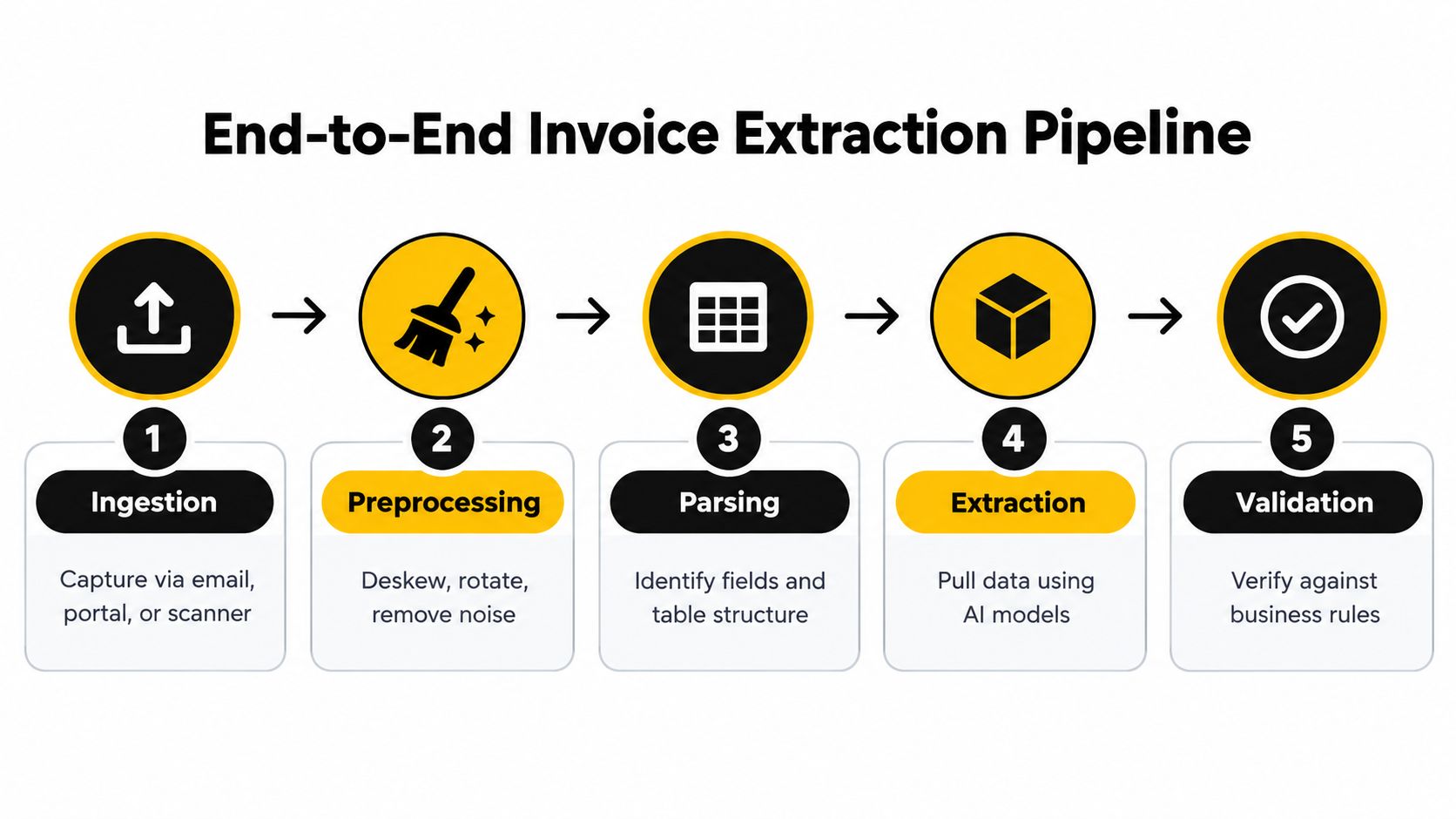
A reliable pipeline is a chain of controlled handoffs. If ingestion, extraction, validation, and posting all happen in one opaque step, operators won't know whether a bad result came from the image, the parser, the business rule, or the ERP mapping.
1. Ingest every source consistently
Capture invoices from monitored email inboxes, supplier portals, upload forms, scanners, and shared folders. Preserve the original file, message metadata, attachment name, and receipt timestamp. Deduplicate before extraction so a forwarded invoice doesn't create a second payable record.
Accept common formats such as PDF, JPEG, and PNG, but don't assume the extension tells you the quality. A digitally generated PDF and a photographed paper invoice may both arrive as PDFs after conversion, yet they need different preprocessing and review paths.
2. Preprocess before interpreting
Deskew crooked scans, rotate pages, remove background noise, improve contrast, and split or merge pages where the document structure requires it. Keep the unmodified source alongside the processed representation. That lets a reviewer compare the extracted value with the original evidence.
Preprocessing should be selective. Aggressive cleanup can erase faint decimal points, minus signs, or tax symbols. Run quality checks for blank pages, unreadable resolution, severe skew, and incomplete uploads before sending a document to the extraction model.
3. Parse headers and tables separately
Header extraction and line-item extraction are different tasks. Invoice number, supplier name, and total amount often have clear labels or predictable visual locations. Line items require the system to understand rows, columns, wrapped descriptions, subtotals, discounts, tax buckets, and continuation tables across pages.
Create a schema that reflects downstream use, not just what is easy to read. A line item might need a product code, description, quantity, unit of measure, unit price, tax rate, and extended amount. Store the raw value, normalized value, confidence, and source location when possible.
4. Normalize and validate values
Convert dates into one internal representation, normalize currency symbols and decimal separators, and standardize supplier names against a master record. Don't discard the original text. Finance users may need it when resolving a mismatch.
Validation should test relationships, not only individual fields. Check whether line extensions reconcile to subtotals, whether taxes align with configured rules, whether the invoice total is mathematically plausible, and whether the purchase order belongs to the identified supplier.
5. Match, route, and post
Send validated invoices to purchase order and receipt matching. A full match can continue automatically, while a missing purchase order, quantity variance, duplicate invoice number, or supplier mismatch should create a targeted exception.
Human review works best when it corrects one uncertain field or confirms one business decision. It works poorly when reviewers must retype the entire invoice because the system provides no evidence or structured correction interface.
For a concise look at how automated extraction fits into wider operational workflows, see Cyndra's automatic data extraction guidance.
A small finance team can begin with a monitored inbox, a standard schema, a review queue, and an ERP export. Higher-volume operations may need supplier classification, queue prioritization, retry handling, model versioning, and direct ERP or AP platform integration. The design principle stays the same: every automated decision should have a clear input, rule, output, and fallback.
The following video provides a visual overview of an extraction pipeline and can help non-technical stakeholders align on the handoffs.

How to Measure Accuracy and Test Before You Scale
A vendor demo can look accurate because it uses clean, familiar invoices. Production is less forgiving. Build the test corpus from the actual intake stream: digital PDFs, scans, image attachments, recurring suppliers, unfamiliar layouts, multilingual documents, and the tables that generate the most reviewer corrections.
A practical benchmark should include 100 to 200 representative invoices. Establish field-level ground truth for every target value before scoring the system. Keep header fields and line items on separate scorecards. Strong header performance can conceal weak table extraction, which is often the bottleneck.
Score the fields that control the workflow
Compare every extracted value with its verified value. Track exact matches, normalized matches, missing values, incorrect values, and false positives. For line items, measure row detection separately from cell accuracy. A system may find the correct number of rows while placing a discount in the tax column. That failure can affect posting and reconciliation more than a missing low-priority note.
Clean digital invoices can reach about 96.50% field-level accuracy, while scanned invoices can reach about 92.71%, according to independent benchmark reporting (AI invoice processing benchmark analysis). Line-item extraction is usually weaker, at roughly 88% to 92%, because descriptions, wrapped text, tax columns, and page breaks are harder to interpret. Treat these figures as reference points. Your own corpus determines whether the workflow is ready.
Use a scorecard that exposes operational risk:
- Header accuracy: Invoice number, supplier, date, currency, and total.
- Line-item accuracy: Row count, product or service description, quantity, price, tax, and line total.
- Reconciliation rate: Whether extracted values pass arithmetic and purchase order checks.
- Exception rate: The share requiring human intervention, classified by cause.
- Operational latency: Time from receipt to validated output.
- Unit economics: Processing cost per page and labor spent resolving exceptions.
Read failures by document type
An average can hide the failure that matters most. Segment results by supplier, source format, page count, language, and document quality. Phone photos can push critical-field accuracy into the mid-80% range, while multi-page tables may produce line-item errors even when the header appears correct. Use that difference to choose the processing method. Simple OCR can handle clean, high-contrast documents. Poor scans and complex tables need document understanding that can use layout, context, and visual evidence.
Review samples from every failure category. Date-format errors may call for locale-aware rules. Line-item continuation errors may require better table reconstruction and page context. Poor scans may need clearer capture guidance or routing to a visual model instead of repeated tuning of a text parser.
Scale only when the exception queue is understandable. Slightly lower headline accuracy with fast, targeted review can outperform a higher average that produces unexplained posting errors. The test is operational: can reviewers identify, correct, and learn from each failure?
Handling Errors Security and Compliance Without Slowing AP
Invoice automation becomes trustworthy when it makes uncertainty visible. The most dangerous output isn't an obvious blank field. It's a plausible value that passes casual inspection but changes the accounting result.
Catch predictable extraction failures
Common trouble spots include ambiguous date formats, unusual field placement, low-contrast scans, phone photos, handwritten notes, and tables that continue across pages. Treat each as a routing condition rather than a reason to abandon automation.
- Dates: Use supplier or entity locale rules, then compare the invoice date with the due date and payment terms.
- Totals: Recalculate the relationship between line extensions, discounts, tax, freight, and grand total.
- Supplier identity: Match legal name, tax identifier, bank details, and known supplier records before posting.
- Purchase orders: Confirm that the order belongs to the supplier and that the invoice references a valid, open document.
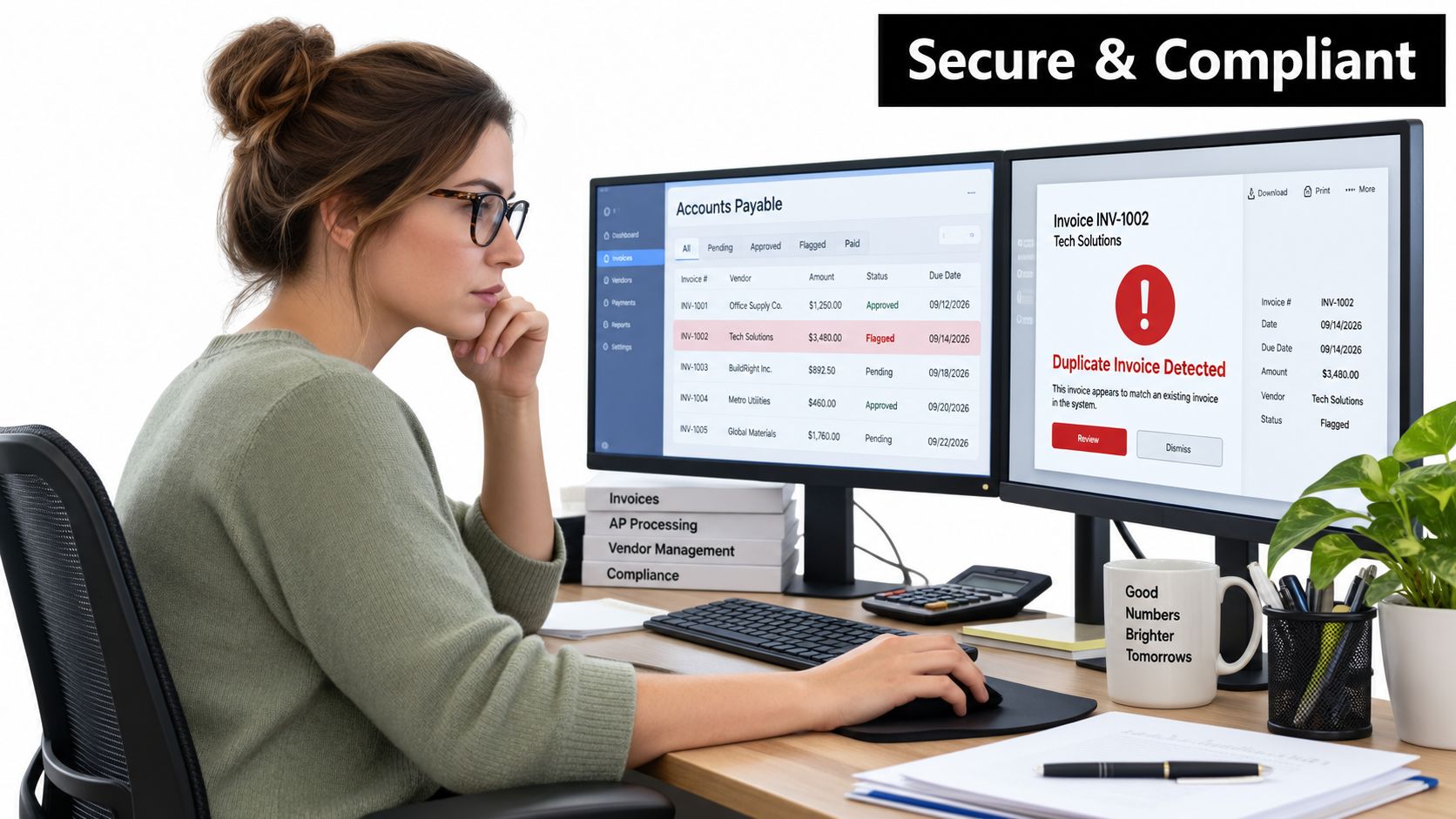
- Duplicates: Compare invoice number, supplier, amount, currency, and source metadata before creating a payable.
Confidence thresholds should trigger focused review, not full rekeying. Show the uncertain value beside the relevant source region, let the reviewer correct it directly, and retain the correction as labeled feedback for future tuning.
The review queue should ask a human to decide, not ask a human to type the document again.
Protect finance data by design
Invoices can contain tax identifiers, bank details, employee information, addresses, and commercial terms. Restrict access by role, separate ingestion permissions from approval permissions, encrypt data in transit and at rest, and define retention rules that match your legal and accounting obligations.
Keep an audit trail for the original file, extraction output, validation results, reviewer edits, approval actions, and ERP posting response. A practical audit trail requirements guide can help teams turn those needs into a concrete control checklist.
Security also includes model governance. Know which providers process the documents, whether data is used for model training, where records are stored, how long logs remain available, and how a model or prompt change is approved. Version extraction configurations so a later correction doesn't erase the explanation for an earlier posting.
Compliance controls shouldn't force every invoice through the same manual path. Use risk-based routing. Low-risk, well-validated invoices can move automatically, while new suppliers, bank-detail changes, unusual tax treatment, failed matches, and low-quality images receive stronger review. That arrangement protects the ledger without recreating the original queue.
Putting It All Together and Choosing Your Next Move
The central decision is simple. Choose the extraction approach that matches your invoice evidence, then judge it by the quality of the downstream workflow, especially line-item handling.
A clean, repetitive supplier population may justify a conventional OCR pipeline with templates and deterministic rules. A mixed stream of scans, photos, multilingual invoices, changing layouts, and complex tables is a stronger candidate for AI document understanding with explicit validation and human review. Many mature workflows use both, assigning the lightest method that can handle each document class safely.
Use this decision checklist
- Map the input stream: List email, portal, scanner, and upload sources, then classify documents by quality and layout.
- Define the schema: Separate header fields, control fields, line items, evidence, and normalized values.
- Test the hard cases: Include multi-page tables, discounts, tax variations, unfamiliar suppliers, and ambiguous dates.
- Measure workflow readiness: Track line-item accuracy, reconciliation, exception causes, processing latency, and review effort.
- Inspect integrations: Confirm that the system can send structured data, evidence, status, and corrections to your ERP or AP platform.
- Review controls: Check permissions, retention, audit history, provider terms, and model-change governance.
- Assign ownership: Finance owns accounting rules, procurement owns purchase order matching, and operations owns queue performance.
A sensible rollout starts with a representative corpus and a narrow set of suppliers. In the first phase, prove ingestion, field mapping, and review. Next, connect validation and matching, then expand only after the team understands why documents fail. The final measure isn't how impressive a demo looks. It's whether approved invoices reach the ledger with fewer touches and without creating new reconciliation work.
Line-item quality deserves disproportionate attention. Improving a header field that already performs well may not change the payment process, while fixing row structure can remove the exception that blocks matching, approval, and posting.
Cyndra offers an invoice workflow that extracts invoice details from email attachments, including vendor information, amounts, and line items, then supports purchase order matching and reconciliation. It can be one option to evaluate alongside OCR providers, AP platforms, and custom document-processing pipelines.
If your AP team is still rekeying invoices or reviewing entire documents for one uncertain line, visit Cyndra to discuss an invoice extraction and matching workflow. Bring a representative sample of your real documents, and use it to define the fields, exceptions, and ERP handoffs that a production rollout must handle.