 CYNDRA
If you're running support right now, you probably don't need another article telling you chatbots are the future. You need a way to stop your team from burning time on password resets, order checks, policy questions, internal note-taking, routing mistakes, and copy-paste work that keeps piling up while complex cases wait too long.
This is the operating problem. Most support leaders aren't trying to replace people. They're trying to create capacity without adding headcount every time ticket volume jumps, a new channel opens, or a product launch creates a temporary flood. In practice, automated customer support works best when it removes repetitive effort across the whole support operation, not only when it deflects customer conversations.
The companies getting the most value from automation aren't asking, "How many tickets can a bot block?" They're asking better questions. Which work should customers never have to wait on? Which tasks should agents never have to do manually? Which workflows should run in the background so the team can focus on judgment, recovery, and retention?
Table of Contents
- Why Automated Customer Support Is Now Essential
- From Simple Bots to True AI Employees
- The Business Case for Automating Support
- A Practical Implementation Framework
- How to Launch Your Automation Strategy
- Measuring Success and Finding Your Partner
Why Automated Customer Support Is Now Essential
Support used to scale in a simple but expensive way. Volume went up, so you hired more agents. That model breaks once customers expect instant answers across chat, email, voice, and self-service while your team still has to investigate edge cases, coordinate with billing, chase fulfillment updates, and keep SLA commitments intact.
For most operators, the pain shows up in three places at once. Routine inquiries flood the queue. Escalations arrive without context. Good agents spend too much time doing admin work instead of resolving hard issues. The result isn't just slower service. It's a support function that gets more expensive and less resilient every quarter.
The market has already moved
This isn't an emerging experiment anymore. The automated customer support category is now a major software market. Polaris-linked projections cited by NextPhone put the market at $15.12 billion in 2025 and project $117.87 billion by 2034, with a 25.6% CAGR according to NextPhone's roundup of AI customer service statistics.
That matters because market maturity changes buyer risk. When a category reaches this level, the question is no longer whether automation belongs in support. The question is what role it should play in your operating model and how quickly you can implement it without breaking service quality.
A strong strategic primer on that shift is this 2026 guide to AI in customer care, which is useful if you're evaluating AI as an operating decision rather than a narrow tool purchase.
Practical rule: If your answer to rising support demand is still "add more queue coverage," you're treating a systems problem like a staffing problem.
The cost of inaction is operational, not theoretical
Teams usually wait too long because they frame automation as a technology project. It isn't. It's a capacity project. If repetitive work keeps landing on humans, your best people become expensive routers, note-takers, and policy repeaters.
That creates a hidden ceiling on growth:
- Response quality slips: Agents rush through nuanced cases because simple requests consume the day.
- Managers become firefighters: Team leads spend time reassigning work and fixing broken handoffs.
- Customer patience shrinks: People will tolerate complexity. They won't tolerate obvious delay.
The strongest support organizations now treat automation the same way finance teams treat close automation or revenue teams treat CRM workflow automation. It's part of the operating stack. Not because it's fashionable, but because manual support ops don't scale cleanly anymore.
From Simple Bots to True AI Employees
Most confusion in automated customer support comes from lumping very different systems into one category. A keyword bot, a conversational assistant, and a workflow-executing agent are not the same thing. If you buy them as if they are, you'll either overpay for a weak fit or expect outcomes the system can't deliver.

What stage one can and cannot do
The first stage is the classic rule-based bot. It functions like an IVR menu in chat form. It follows predefined paths, matches keywords, and serves canned answers. This works for highly structured flows such as store hours, refund policy links, or account login directions.
It fails when customers phrase things unexpectedly or when the issue needs context from other systems. A rule-based bot doesn't really understand the request. It maps inputs to prewritten options.
Use it when the process is rigid and the risk is low.
Avoid using it for troubleshooting, billing nuance, delivery exceptions, or emotionally charged conversations. That's where rigid trees make customers feel trapped.
Where conversational AI changes the game
The second stage is NLP-driven conversational AI. At this stage, automation becomes highly useful for modern support. These systems interpret intent, handle wider language variation, and work far better when connected to a knowledge base and your support platform.
Salesforce notes that the most effective systems combine NLP-based intent detection with backend workflow orchestration, so the platform can classify the request, generate a response, or trigger escalation in a single pass, reducing repetitive triage work for human agents in its guide to automated customer service.
That "single pass" point matters. Good automated customer support doesn't just answer questions. It decides what should happen next. Route to billing. Pull order context. draft a response. Escalate with summary included.
If you're evaluating systems in this category, compare them against a more practical distinction than bot versus AI. Compare scope versus action. This is the difference laid out well in Cyndra's article on AI agent vs chatbot.
For teams handling inbound phone workflows alongside chat and email, practical examples of voice-side automation are worth reviewing too. This overview on how to Boost leads with AI call automation is useful because it shows how automation can support conversation intake and routing, not only digital channels.
What makes an AI employee different
The third stage is where support automation stops behaving like a widget and starts behaving like a team member. An AI employee doesn't only understand the request. It works across systems to complete multi-step tasks with rules, context, and escalation boundaries.
That can include actions like:
| Stage | Core behavior | Operational limit |
|---|---|---|
| Rule-based bot | Follows scripted paths | Breaks on variation |
| Conversational AI | Understands intent and replies more flexibly | Often stops short of full task completion |
| AI employee | Executes workflow across tools and hands off cleanly | Requires stronger process design and governance |
An AI employee is what you deploy when the goal is capacity creation. It can triage the inbox, enrich tickets, summarize prior history, fetch policy context, update fields, trigger downstream workflows, and hand the case to a human with the work already framed.
The best automation doesn't hide complexity from the business. It absorbs routine complexity so humans can spend time where judgment matters.
That's the shift. Old bot thinking asks, "Can this answer the customer?" Modern support ops ask, "Can this move the work forward?"
The Business Case for Automating Support
Most ROI discussions around support automation are too narrow. They focus on labor substitution, which misses the larger value. In operations, the biggest gains often come from smoother flow. Less triage. Faster routing. Cleaner handoffs. Better use of skilled agents. Fewer delays between systems.

Cost control without service degradation
Automated customer support has gone mainstream. Salesforce reports that 30% of service cases were resolved by AI in 2025 and expects that share to reach 50% by 2027. The same statistics page also notes that 81% of businesses had already implemented AI in contact centers by 2025 in Salesforce customer service statistics.
Those numbers tell you something important. Buyers aren't implementing automation because it's novel. They're using it because support economics have changed.
The direct cost case usually comes from a combination of factors:
- Lower handling burden: Routine requests stop consuming agent time.
- Reduced management overhead: Less manual triage and reassignment.
- Better staffing efficiency: Teams can absorb spikes without immediate hiring.
A good support AI program doesn't need to replace agents to save money. It needs to stop wasting skilled labor on repetitive process steps.
Revenue protection through faster operations
Support affects revenue more than many finance models acknowledge. Customers don't only contact support when something is broken. They contact support when they're deciding whether to trust you again.
When automation handles status checks, policy retrieval, routing, and context gathering immediately, your team gets faster on the cases that carry retention risk. That includes renewals under pressure, fulfillment exceptions, account confusion, and escalations from high-value customers.
A practical way to think about this is to separate contacts into two buckets:
- Repetitive interactions that should move instantly
- Judgment-heavy interactions that deserve a prepared human
If your agents spend the morning answering low-complexity questions, they reach the second bucket later and with less energy. That's where support starts hurting retention.
For teams exploring this model in more detail, Cyndra's write-up on AI agents for customer support is a useful reference because it frames support automation as workflow execution rather than just front-end chat.
Scalability without constant rehiring
Volume never arrives neatly. It comes with launches, outages, promotions, seasonality, channel expansion, and market growth. If your only scaling lever is recruiting, onboarding, and QA ramp, you're always behind the curve.
Strong support automation gives you elastic capacity. It lets the operation absorb variation without forcing a staffing decision every time volume changes.
A few practical examples make the point:
- E-commerce teams benefit when order-status requests, return-policy questions, and routing to fulfillment happen automatically, leaving people to manage exceptions.
- SaaS teams benefit when AI handles intake, categorization, account context, and issue summaries before technical agents step in.
- Service businesses improve throughput when appointment changes, common documentation requests, and payment questions move through standardized workflows.
None of that requires a fully autonomous support organization. It requires a support system that knows which work to automate, which work to assist, and which work to escalate immediately.
A Practical Implementation Framework
Most failed automation projects start in the wrong place. Teams begin with channel selection, vendor demos, or chatbot scripts. The better starting point is workflow design. What work are you trying to eliminate, accelerate, or support?

Start with workflow choice, not channel choice
One of the most important implementation decisions is whether automation should be customer-facing or agent-facing. RingCentral highlights this distinction directly, noting the rise of agent-facing AI assistants that surface context and automate notes, with the strategic implication that the highest ROI may come from reducing agent effort rather than replacing more conversations in its automated customer service guide.
That distinction changes the entire program.
A customer-facing bot needs strong containment boundaries, careful tone control, and clean handoff logic. An agent-facing assistant needs better system access, workflow context, and trust from the support team. Both matter, but they solve different problems.
In many environments, the fastest win comes from the agent side first. If automation can summarize conversations, populate fields, fetch account context, suggest next actions, and trigger follow-up tasks, every agent becomes faster without the customer ever seeing a bot.
A useful way to map that split:
| Automation type | Best use | Main risk |
|---|---|---|
| Customer-facing | High-volume routine requests | Frustrating users if it traps them |
| Agent-facing | Reducing admin work in every case | Weak adoption if outputs aren't reliable |
The five pillars that decide whether this works
Here's the implementation checklist I use in practice.
Strategy and goal setting
Pick one business outcome first. Faster first response. Lower repetitive workload. Cleaner escalations. Better consistency across channels. If you try to optimize everything at once, you'll train the system on conflicting priorities.
Integration and connectivity
Support AI without system access is a smarter FAQ. Real value comes when the automation can read and act inside your CRM, help desk, order system, billing environment, and internal knowledge base.
Workflow-focused platforms are important. For example, teams evaluating orchestration-heavy support designs often look at systems that can connect agents to real operational steps, including approaches like AI agent workflow. Cyndra is one option in that category for companies that want custom AI employees installed into existing business workflows rather than buying a generic chatbot layer.
Data and knowledge management
Most support failures are knowledge failures. If your policies are outdated, your macros conflict, and your help center doesn't match current operations, AI will expose that mess quickly.
Audit:
- Knowledge sources: Decide which documents are authoritative.
- Policy ownership: Assign humans to approve changes.
- Historical data: Use past tickets carefully, especially if resolution quality is uneven.
What good escalation looks like
Automation should never turn escalation into a restart. The human shouldn't have to ask the customer to repeat the issue, restate the order number, or explain prior troubleshooting. That destroys trust.
A clean escalation packet usually includes:
- Issue summary: What the customer needs
- Relevant context: Account, order, product, or billing information
- Actions taken: What the automation already attempted
- Recommended next step: What the human should verify or do next
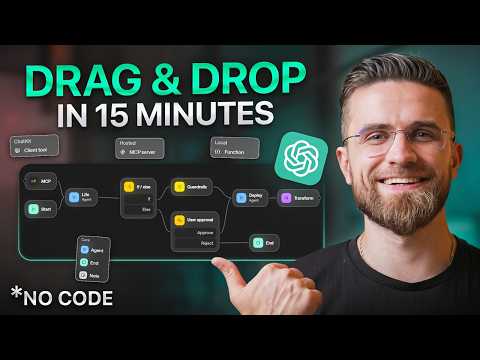
Here's a useful demo to consider while thinking through system behavior and handoffs:
You also need a clear staffing model around automation:
- Operational owner who decides scope and priorities
- Knowledge owner who keeps source content current
- QA owner who reviews outputs and edge cases
- Support lead who monitors adoption and handoff quality
Field note: If no one owns escalation quality, customers will feel every gap in your automation before leadership sees it in a dashboard.
How to Launch Your Automation Strategy
The worst way to deploy automated customer support is all at once. Big-bang launches create confusion for agents, surprise for customers, and too many variables to diagnose when performance dips. A phased rollout is slower for a few weeks and much faster over the life of the program.

Pilot with low-risk volume
Start with a use case that has three characteristics. High frequency, low ambiguity, and clear handoff rules. Order status, password help, appointment rescheduling, shipping policies, and simple account questions are common starting points.
The pilot should answer operational questions, not just technical ones:
- Can the system classify requests reliably?
- Do agents trust the summaries and suggested actions?
- Are escalations arriving with enough context to save time?
- Does the experience feel faster to the customer?
Keep the first scope narrow. One channel is enough. One team is enough. One queue category is enough.
Expand only after you fix the handoffs
Once the pilot works, don't immediately add every workflow. Expand by adjacent use case, not by ambition.
A practical sequence often looks like this:
- Automate intake and routing
- Add basic resolution flows
- Layer in agent assistance
- Connect downstream workflows such as billing, fulfillment, or scheduling
That order matters because routing and context often create value before full resolution does. If the system can get the case to the right place with the right information, you've already improved throughput.
Common rollout mistakes
Most support automation issues aren't caused by the model. They're caused by bad operating discipline.
Here are the failure patterns I see most often:
- Poor training sources: Teams feed the system old macros, outdated docs, and inconsistent policy language.
- No clear owner: The project sits between support, IT, and operations, so no one makes final decisions.
- Broken human path: Customers can't reach a person quickly when the issue is complex or sensitive.
- Success measured too narrowly: Leaders focus only on deflection and miss gains in agent speed or case quality.
- Agent resistance: The frontline team sees automation as surveillance or replacement instead of support.
The fix is straightforward. Involve agents early. Review failed interactions weekly. Tighten the knowledge base before expanding scope. Treat escalation as a product feature, not a fallback.
A phased launch also gives you room to refine tone. That's more important than many operators expect. Even a technically correct answer can feel poor if it arrives with the wrong level of confidence, empathy, or brevity for the situation.
Measuring Success and Finding Your Partner
If you only measure ticket deflection, you'll underinvest in the parts of automation that matter most. Deflection is one outcome. It is not the whole scorecard.
Capacity creation is the better frame. Are your agents handling more meaningful work with less friction? Are complex issues moving faster because repetitive tasks, summaries, and context collection happen automatically? Are managers spending less time cleaning up queue flow?
Track capacity, not just deflection
A better support scorecard includes both customer outcomes and operator outcomes.
Focus on measures such as:
- Agent capacity increase: How much more high-value work the team can absorb
- Time to resolution: For both automated and human-assisted cases
- First contact resolution quality: Whether the issue is solved without reopening
- Escalation quality: Whether handoffs arrive with usable context
- Queue health: Whether complex work reaches the right people faster
Notice what's missing from that list. Vanity metrics. A bot can "contain" a conversation and still create downstream cost if the customer comes back angrier or if an agent has to reconstruct the case later.
The strongest support AI programs don't chase the highest automation rate. They chase the cleanest flow of work across humans and systems.
That lens changes how you invest. You may decide an agent copilot that saves time on every case is more valuable than a customer bot that handles a narrow slice of inquiries. You may decide workflow orchestration in the background matters more than a flashy front-end assistant.
Choose a partner that understands operations
Software alone rarely gets this right. Automated customer support touches process design, systems integration, change management, QA, knowledge governance, and frontline adoption. If your partner only knows the model and not the operation, you'll end up with a demo that never becomes a dependable part of the business.
When evaluating vendors or implementation partners, ask practical questions:
- Who maps the workflow before automation is built?
- How are escalation rules designed and tested?
- Who maintains prompts, logic, and knowledge sources after launch?
- How quickly can the system adapt when policies change?
- What visibility will managers have into failures and exceptions?
The right partner should be comfortable talking about queue design, policy drift, exception handling, and agent trust. Those topics decide success more than UI polish does.
If you're serious about building AI into support as operating infrastructure, not just adding another bot, Cyndra helps companies install and manage AI employees that work across real workflows and existing tools. That's the difference between automation that looks impressive in a demo and automation that creates real capacity inside the business.