 CYNDRA
Most marketing automation fails for a reason that has little to do with the software: teams build static email sequences and call them behavior-driven systems. A contact can buy, book a demo, go cold, or become a customer, yet still receive the same scheduled messages because nobody defined the branches and exit rules.
The better approach is to treat each workflow as an operating process. Start with a meaningful trigger, decide what customer behavior should change the next action, and make sure the right person or system owns the handoff. That matters in a crowded category: a 2022 University of Hamburg survey of 129 companies found that 44% had adopted marketing automation strategically, while the market had expanded 24% since 2020, to 9,932 solutions worldwide, according to the University of Hamburg Marketing Technology Report. More tools don't fix unclear workflow logic.
Below are 10 marketing automation workflows that can support revenue, from onboarding and cart recovery to renewals. For each, the useful questions are the same: What starts it? What changes the path? Where does it break? You'll also get a practical implementation move for this week, a comparison table marker, and a view of where AI agents can extend workflows beyond scheduled emails. For more channel ideas, see these practical ecommerce marketing automation workflows.
Table of Contents
- 1. Welcome and Onboarding Email Series
- 2. Abandoned Cart Recovery
- 3. Lead Scoring and Sales Handoff
- 4. Lead Nurturing Drip Campaign
- 5. Speed-to-Lead Response Workflow
- 6. Re-engagement and Win-Back Campaign
- 7. Post-Purchase Cross-Sell and Upsell Sequence
- 8. Webinar and Event Follow-Up Workflow
- 9. SaaS Trial-to-Paid Conversion Workflow
- 10. Customer Renewal and Retention Workflow
- 10 Marketing Automation Workflows at a Glance
- From Static Sequences to AI Employees: Making These Workflows Work for You
1. Welcome and Onboarding Email Series
A welcome workflow should respond to what someone signed up for, not merely confirm that an email address entered a database. A newsletter subscriber, a free-trial user, and a first-time customer have different expectations. If they all receive the same brand introduction, the first message may be technically timely but still irrelevant.
Trigger logic: Start when a person subscribes, creates an account, or completes a first purchase. Pass the signup source, product interest, and customer status into the workflow so the opening message matches their reason for arriving. A SaaS company, for example, can send trial users directly to the first setup action instead of a general company story.
Branching rules: Keep the first email focused on one useful next step. If a recipient completes that action, send the next message that helps them progress; if they buy, exit the prospect onboarding path and move them to customer onboarding. Suppress contacts who have unsubscribed or entered another lifecycle journey.
The failure mode is a sequence that keeps sending introductory offers after someone has already converted. Another is overloading the welcome email with the brand story, product catalogue, and several competing calls to action.
Practical rule: Match the first message to the promise that earned the signup.
This week, inspect the signup sources feeding your welcome series, split the largest distinct intent groups, and add an exit condition for people who purchase or activate.

2. Abandoned Cart Recovery
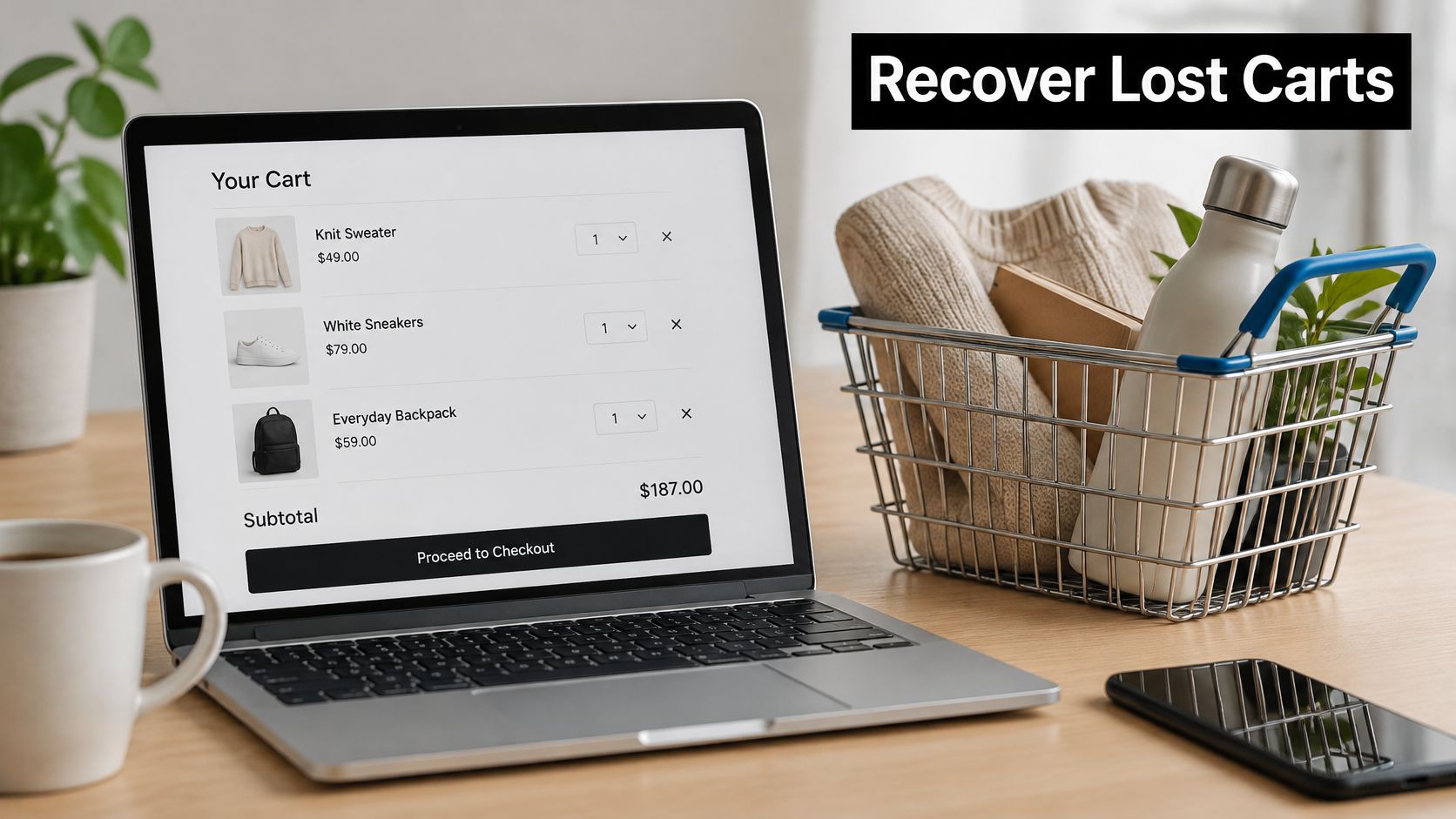
Cart recovery is not a licence to chase every shopper who pauses. It's a short service-oriented workflow for someone who showed purchase intent and may need a reminder, product detail, or help resolving an obstacle. The trigger should be a cart or checkout event, followed by a check that no completed order has arrived.
A practical example: a shopper adds a lamp to a cart, enters checkout, then leaves. The first message can show the lamp and link directly back to the cart. If the shopper returns but still doesn't buy, a later branch can clarify delivery or returns information. A discount should be a deliberate test, not the automatic second step.
Branching rules matter. Suppress the sequence as soon as an order completes, including purchases recorded through another channel. Use dynamic product details, and set a frequency cap so repeated browsing doesn't trigger a relentless stream of reminders.
The main failure mode is measuring every recovered order as incremental revenue. Some shoppers would have completed the purchase without an email, and blanket discounts can train customers to wait for a coupon. In a survey cited by Elite Content Marketer's email marketing statistics, automated emails accounted for 37% of email sales while making up 2% of email volume in 2024, based on analysis of nearly 24 billion emails. That finding illustrates why timely, relevant messages deserve attention, but the provider's customer base and attribution method shape the result.
Try this week: Compare a reminder-only path with one that offers an incentive, and judge both on completed orders and margin.
3. Lead Scoring and Sales Handoff
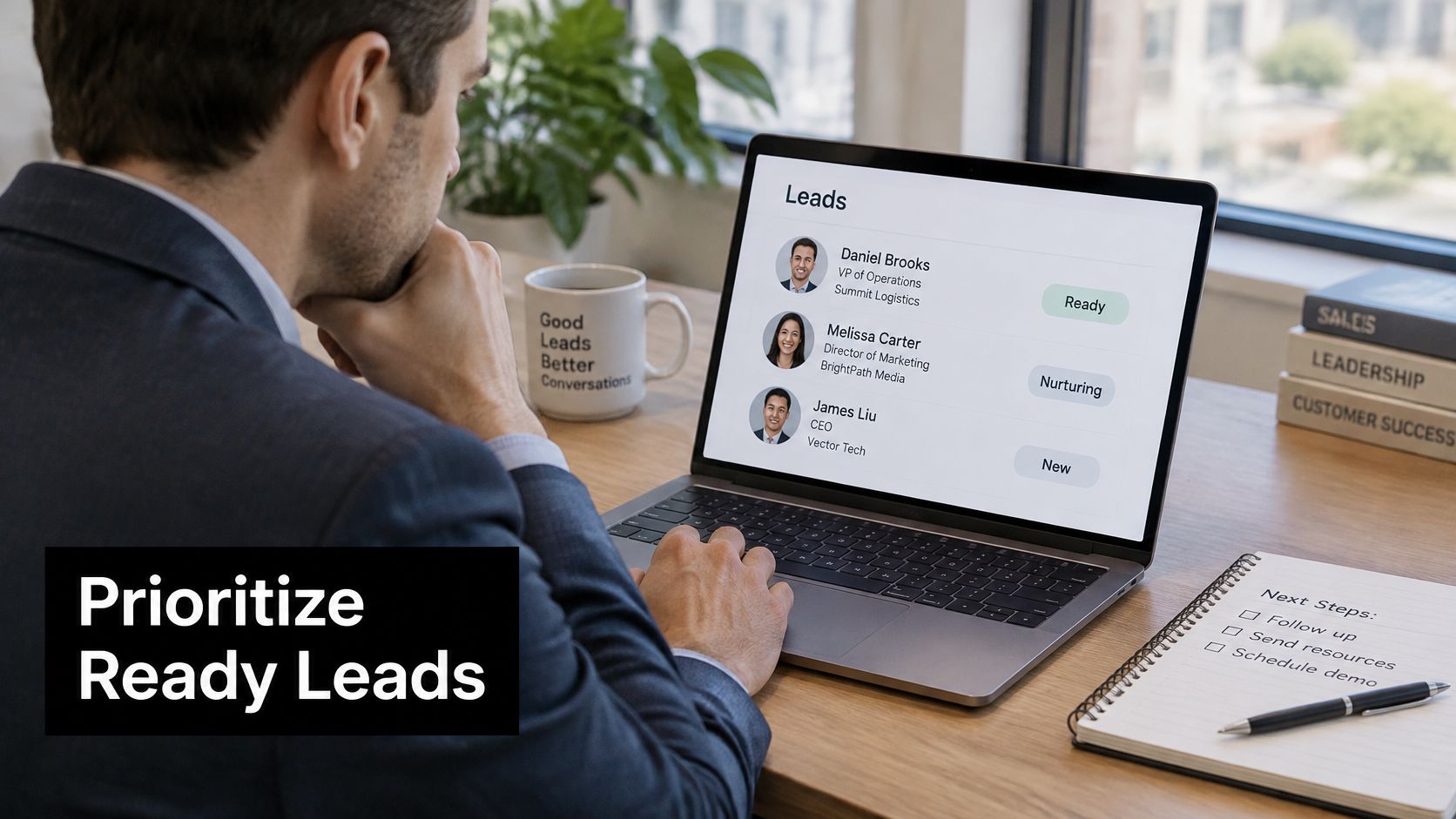
A score is useful only if sales agrees that it signals a reason to act. Adding points for every click often produces a queue of noisy leads rather than a reliable handoff. Build the model around fit and intent, then make the handoff carry enough context for a salesperson to continue the conversation.
Consider a B2B software prospect whose company fits the target market, visits the pricing page, and requests a demo. Those behaviors should outweigh a casual blog visit. When the lead crosses the agreed threshold, update the CRM, assign an owner, and send a concise summary of the actions that caused the handoff.
Branching rules: Use score decay so old activity doesn't keep a contact permanently “hot.” Keep disqualifying conditions, such as a poor-fit segment, separate from engagement points. Review the model with sales regularly; if representatives keep rejecting a lead type, find out whether the threshold, fit criteria, or timing is wrong.
The failure mode is routing a score without evidence. Sales then has to recreate the prospect's journey and may distrust future alerts. Teams working through AI for lead qualification should keep qualification criteria explicit and make the supporting signals visible to the person taking action.
This week: Ask sales to rank the behaviors that indicate purchase intent, then reweight one rule and audit the next handoffs.
A cross-industry case-study dataset reported that a 60-day workflow reduced average lead follow-up time from 36 hours to 5.5 hours and increased seven-day lead-engagement conversion from 3.2% to 9.4%. The marketing automation case studies from Leads Technologies describe those as case-study results, not independently validated industry averages. Record your own baselines and definitions before using a similar workflow to claim lift.
4. Lead Nurturing Drip Campaign
A nurture sequence should help a prospect make progress, not just keep the brand in their inbox. Start with a known interest, such as a guide download or webinar registration, and choose content that answers the next likely question. An enterprise software company might follow an implementation guide with a customer story, then offer a consultation once the prospect signals a need for a more specific conversation.
Map each message to a buyer concern and give it one clear call to action. A contact who engages with security material may need a different path from someone reading about integrations. If either person requests a demo or becomes sales-qualified, stop the general nurture sequence and transfer them to the appropriate workflow.
The common break is a fixed calendar that ignores behavior. A prospect who has already booked a meeting shouldn't keep receiving “ready to talk?” emails, and a lead who hasn't engaged shouldn't be escalated just because a timer expired. Keep content current and check that each link, offer, and claim still reflects the product.
For teams refining email follow-up automation, make the handoff rules part of the sequence design, not a separate afterthought. A drip email campaign for ecommerce retention can use the same logic, with product interest and purchase history determining which follow-up is useful.
This week: Pick one nurture path, write down the buyer question answered by each message, and add an exit rule for demo requests and conversions.
5. Speed-to-Lead Response Workflow
A form submission is an event that needs an owner, not just a confirmation email. When someone requests a demo or quote, the workflow should confirm receipt, create or update the CRM record, notify the right person, and set a timer for follow-up. If no owner acts, the workflow needs an escalation path.
A HubSpot implementation case study reported that high-intent behavioral triggers reduced response latency from 12–24 hours to under five minutes. The same case study reported open rates rising from 18% to 23.8% across campaign types, and setup time falling from 8–12 hours to 2–4 hours after introducing automated sequencing. These are case-study results, not universal benchmarks, as the HubSpot marketing automation implementation case study doesn't disclose the sample size, attribution window, or statistical significance.
Fast routing helps only when the message feels like a real response and somebody owns what happens next.
A useful branch distinguishes business hours from off-hours. During the day, send the lead to the available representative; outside business hours, acknowledge the request and create a task for the next staffed period. If the lead came from a high-intent action, include the relevant page, campaign, or request in the notification.
The failure mode is promising an immediate human response when nobody is monitoring the queue. This week, submit a test form, check every notification and CRM update, and verify that an unclaimed lead escalates to a named owner.
6. Re-engagement and Win-Back Campaign
A win-back workflow begins when a customer's behavior changes, not when an email open disappears. Opens are an unreliable proxy for active use, so use signals such as product logins, purchases, subscription status, or recent support activity. Define inactivity in a way that fits the normal usage cycle.
For example, a subscription service can separate customers who have stopped using the product from customers who have cancelled. The first group may benefit from a message showing a useful feature or offering help; the second may need a clear return offer or an easy way to update preferences. Don't send the same discount to both.
Branching rules: If someone reactivates, remove them from the win-back path and restore the relevant customer journey. If they don't respond, give them a preference option before suppressing them from promotional sends. That protects list quality and gives the customer a choice other than continued reminders.
The failure mode is repeated discounting without understanding why people left. A lower price won't solve poor product fit, confusing onboarding, or an unresolved service issue. This week, define inactivity using a meaningful product or purchase signal, then create a suppression branch for contacts who remain inactive after the campaign.
7. Post-Purchase Cross-Sell and Upsell Sequence
The best post-purchase message helps a customer get more value from what they already bought. Start the workflow after the order is confirmed, but delay the recommendation until the customer can reasonably use the product. For a home-goods retailer, that might mean sending setup guidance first and suggesting a compatible accessory after delivery; a software vendor might wait until a customer has activated the core plan before introducing an add-on.
Branching rules: Base recommendations on compatibility and usage, not just broad category overlap. If the customer bought an item that already includes the accessory, suppress the suggestion. If they report a problem or contact support, route them to service rather than pushing another product.
Amazon's recommendation engine is a familiar example of purchase-based cross-selling, but smaller teams don't need to imitate its scale to use the principle. Start with a clear product relationship that a merchandising or customer-success owner can explain. Offer a useful bundle, setup help, or relevant upgrade instead of treating a discount as the only reason to buy.
Track repeat purchase or add-on adoption alongside immediate clicks. A message that drives a quick order but increases returns or support requests may be damaging the customer experience.
This week: Choose one product with a compatible add-on, define when the recommendation becomes relevant, and add a suppression rule for incompatible orders.

8. Webinar and Event Follow-Up Workflow
A webinar creates several distinct audiences: people who attended, registrants who missed it, and participants who showed strong interest in a particular topic. Send the recording and next step based on those behaviors rather than mailing the same generic recap to everyone.
For a B2B software webinar, attendees who asked about integrations might receive a relevant case study or technical resource. A registrant who didn't attend can receive the replay with a short summary of the session's practical takeaway. Someone who requested a sales conversation should exit the event follow-up path and enter the sales handoff workflow.
The trigger comes from the event platform, but the workflow needs clean attendance and engagement data. Map registration, attendance, poll responses, and questions into the CRM. If the event platform reports a person as absent while the CRM shows they watched a replay, don't blindly send a no-show message.
The failure mode is treating registration as intent. A sign-up alone doesn't justify aggressive sales outreach, while a detailed question or demo request may warrant prompt human follow-up. This week, connect one event field to a CRM property and create separate attendee and no-show paths, each with a relevant next action.
9. SaaS Trial-to-Paid Conversion Workflow
Trial conversion depends on whether a user reaches value, not on how many reminder emails they receive. Identify the product actions that show a user has begun solving a real problem. For a project-management tool, that might mean creating a project and inviting a teammate; for a developer platform, it could be making a first successful API call.
Build branches around those milestones. If a user hasn't completed the first key action, send a focused setup prompt or show guidance in the product. If they have activated, move them toward the next useful capability. Route high-intent accounts to sales when the account fits the target profile and the behavior justifies a conversation.
A common failure is treating every trial user as if they has the same job, team size, or reason for trying the product. Another is sending an expiration warning without explaining what the user has achieved or what they'll lose access to. Keep in-app guidance close to the task, and use email for a reminder the user can return to.
This week: Ask product and sales to identify a small set of activation signals, then build one branch for users who haven't reached the first value milestone.
When a visual explanation will help your team map the journey, use this walkthrough:

10. Customer Renewal and Retention Workflow
Renewal automation should surface risk early enough for a person to help. Start from the contract or subscription date, then combine the calendar with account health signals such as declining usage, unresolved support issues, or a missing renewal owner. A renewal reminder sent on time can still fail if the account is already at risk and nobody is assigned to respond.
For an enterprise account, the workflow can prepare a value summary, notify the account owner, and schedule customer outreach according to the buying process. A subscription business might share a usage recap and a link to update billing details. In either case, a healthy account can follow a straightforward renewal path while an account with declining engagement gets human attention.
The failure mode is sending automated “time to renew” messages without evidence of value or a clear escalation. Keep the account owner involved when usage falls or customer feedback signals a problem. Teams can use a good Net Promoter Score discussion to think through how feedback fits into retention, but a score should support, not replace, a conversation about the customer's situation.
This week: Add a renewal owner and a declining-usage condition to the CRM workflow, then test that the risk branch creates a human task rather than another generic reminder.
10 Marketing Automation Workflows at a Glance
| Workflow | Primary Trigger | Best For | Key Metric | Difficulty to Implement |
|---|---|---|---|---|
| Welcome and Onboarding Email Series | New sign-up, form submission, or account creation | Introducing the brand and guiding new contacts to a first action | Open, click, and conversion rates | Moderate |
| Abandoned Cart Recovery | Cart created with no completed purchase | Recovering revenue from high-intent shoppers | Recovered revenue | Low to moderate |
| Lead Scoring and Sales Handoff | Lead reaches a defined score threshold | Prioritizing qualified prospects for sales follow-up | Lead qualification and response time | High |
| Lead Nurturing Drip Campaign | Prospect enters a nurture sequence | Educating leads not yet ready to buy | Conversion rate of nurtured leads | Moderate |
| Speed-to-Lead Response Workflow | Form submission, call booking, or chat start | Responding quickly to inbound prospects | Response time and qualification rate | Moderate |
| Re-engagement and Win-Back Campaign | Subscriber or customer inactivity | Reactivating lapsed users and improving list quality | Reactivation rate | Moderate |
| Post-Purchase Cross-Sell and Upsell Sequence | Order completion or delivery | Increasing customer value with relevant recommendations | Repeat purchase rate | Moderate |
| Webinar and Event Follow-Up Workflow | Registration, attendance, or no-show status | Extending event engagement and guiding next steps | Event engagement and lead conversion | Moderate |
| SaaS Trial-to-Paid Conversion Workflow | Product usage events or trial milestones | Helping trial users reach value and convert to paid | Trial-to-paid conversion rate | High |
| Customer Renewal and Retention Workflow | Upcoming contract or subscription end date | Reducing churn and identifying renewal risks | Renewal rate by cohort | High |
From Static Sequences to AI Employees: Making These Workflows Work for You
The strongest workflows share one design pattern: behavior-triggered, branched, and continuously calibrated. A welcome series exits when someone buys. A cart reminder stops when an order arrives. A trial path changes when a user reaches activation. The sequence matters, but the decision rules and the quality of the underlying data determine whether it feels relevant or robotic.
The measurement problem deserves equal attention. A workflow can claim credit for a sale because it sent an email before the purchase. In a survey discussed in the 2025 State of AI Marketing report, only 49% of companies surveyed could measure the return on their AI investments, and 65% of DTC respondents cited proving impact or ROI as a leading challenge, up from 57% in 2023. That's a warning against multiplying automations before agreeing on what success means.
Set a measurement contract before launch. Name the outcome, define the attribution window, distinguish influenced activity from incremental impact, and track failures as well as conversions. Use a holdout or comparison group where feasible. When that isn't practical, document the limitations and compare results with a reasonable baseline rather than treating every attributed sale as proof.
AI agents extend these workflows beyond scheduled email sequences. A team member can message an AI employee in plain English, and the agent can perform multi-step work across connected tools, then report back in the conversation. That can mean researching a lead, enriching a CRM record, drafting follow-up, and routing the message for approval instead of merely moving a contact through a fixed sequence. For campaign teams, connected agents can support AI-powered Google Ads campaign management alongside other marketing operations.
Keep human judgment in the workflow where the stakes call for it. High-stakes steps can route to human approval, with a full audit trail of decisions. Cyndra builds workflows live with the people who do the work, using their processes and playbooks; after launch, the team refines them against real usage data. Cyndra automated its own entire sales cycle with a 10-step workflow as its proof of concept.
Start with one workflow where the trigger is clear, the handoff is costly, and the outcome can be measured. Cyndra builds workflows live with your team on your real processes in the first session, then leaves you owning the workflows and the know-how to run them. Pick a high-ROI workflow, test its branches and failure paths, and expand only when the first one is working.
Cyndra helps teams turn real marketing and operations processes into AI workflows that work across the tools they already use, with human approval for high-stakes steps. Start with one revenue-focused workflow and visit Cyndra to explore building it with your team.